Chrome extension · part of Useful Drawer
Screenshot the whole page. Then mark it up.
PageStill captures the entire web page. Then you can highlight, add notes and arrows, box or circle things, blur what's private, and crop. Save it as a PNG or a PDF. Capturing is free. The editor is $11.99 a year, or $24.99 once.
A normal screenshot stops here.
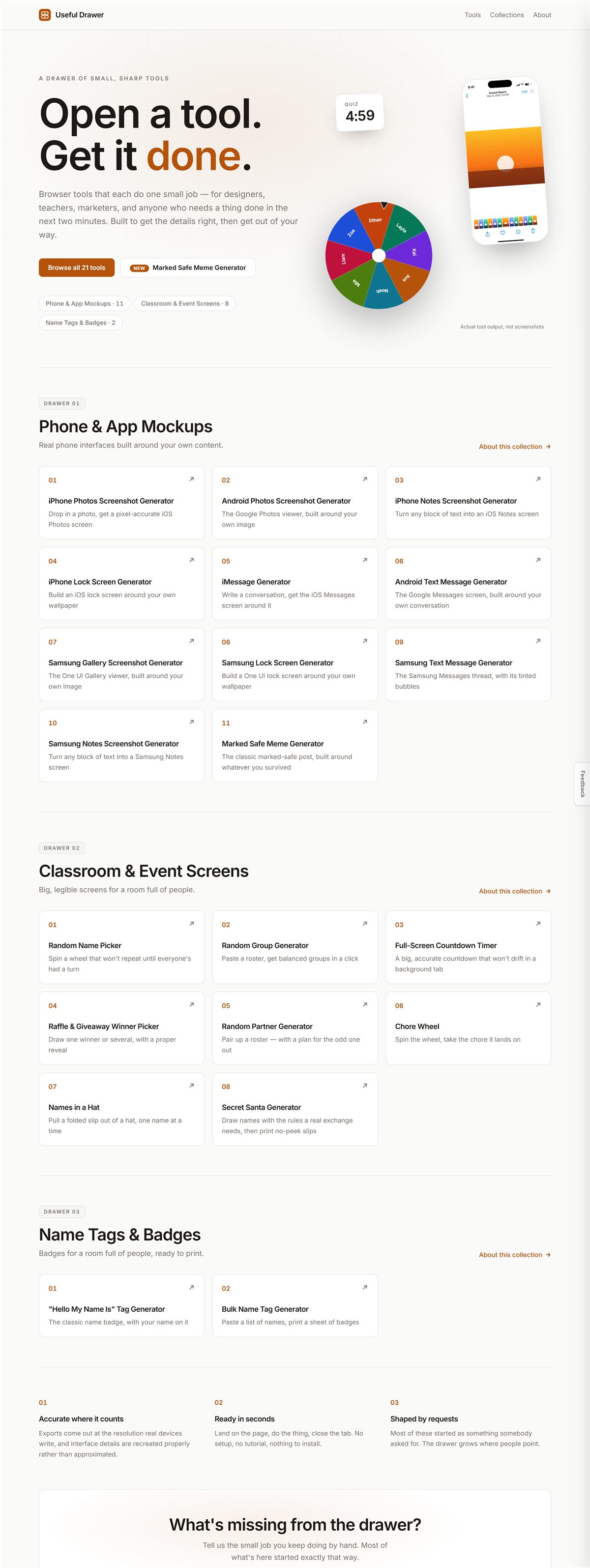
An ordinary screenshot only takes what's on screen.
PageStill keeps going.
It scrolls the page for you and stitches every screen into one image. Menus that stay put while you scroll show up once, at the top — not again and again down the picture.
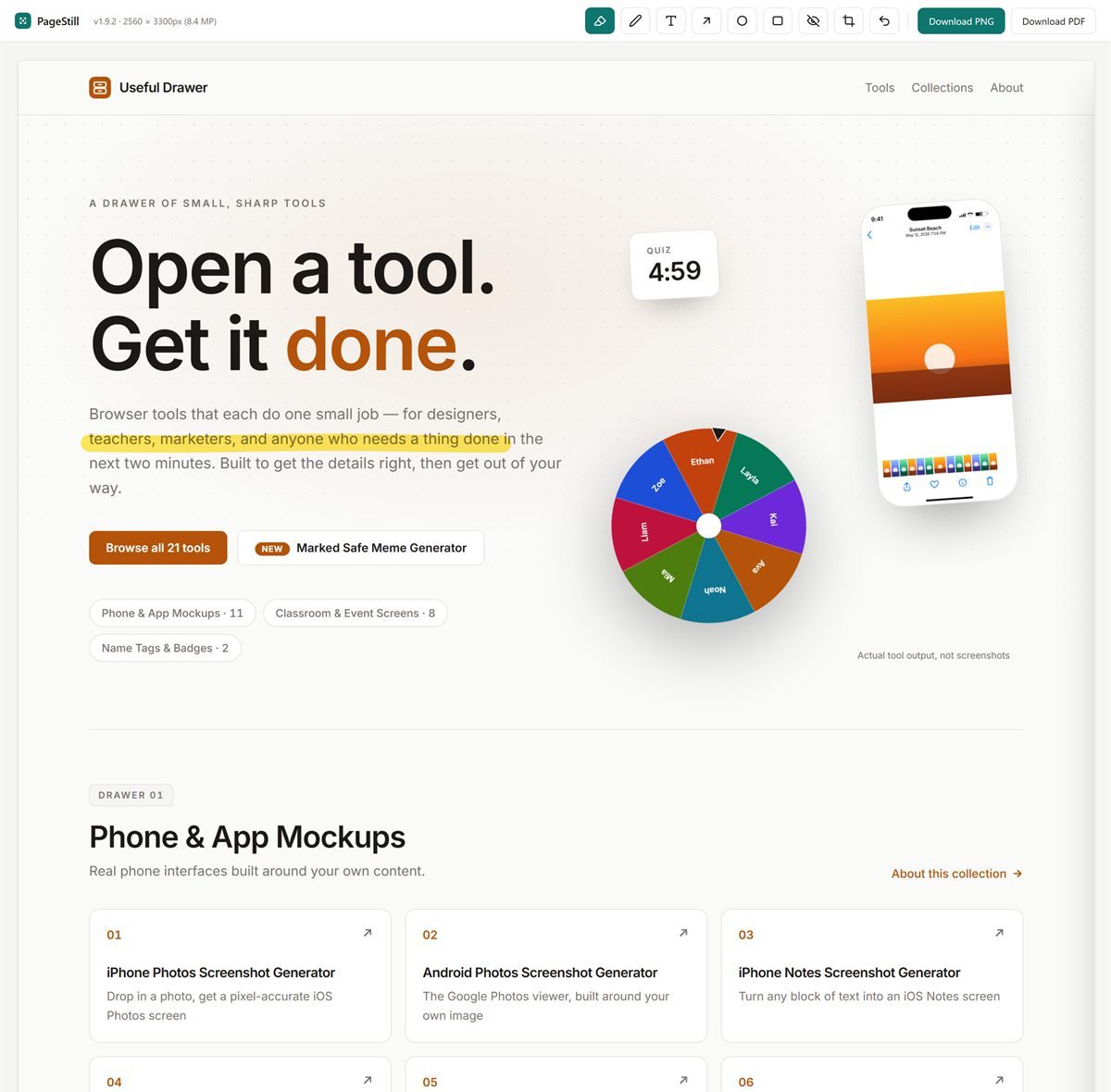
Free, no counterHighlight what matters.
Drag across like a regular highlighter. Words and images underneath stay readable.
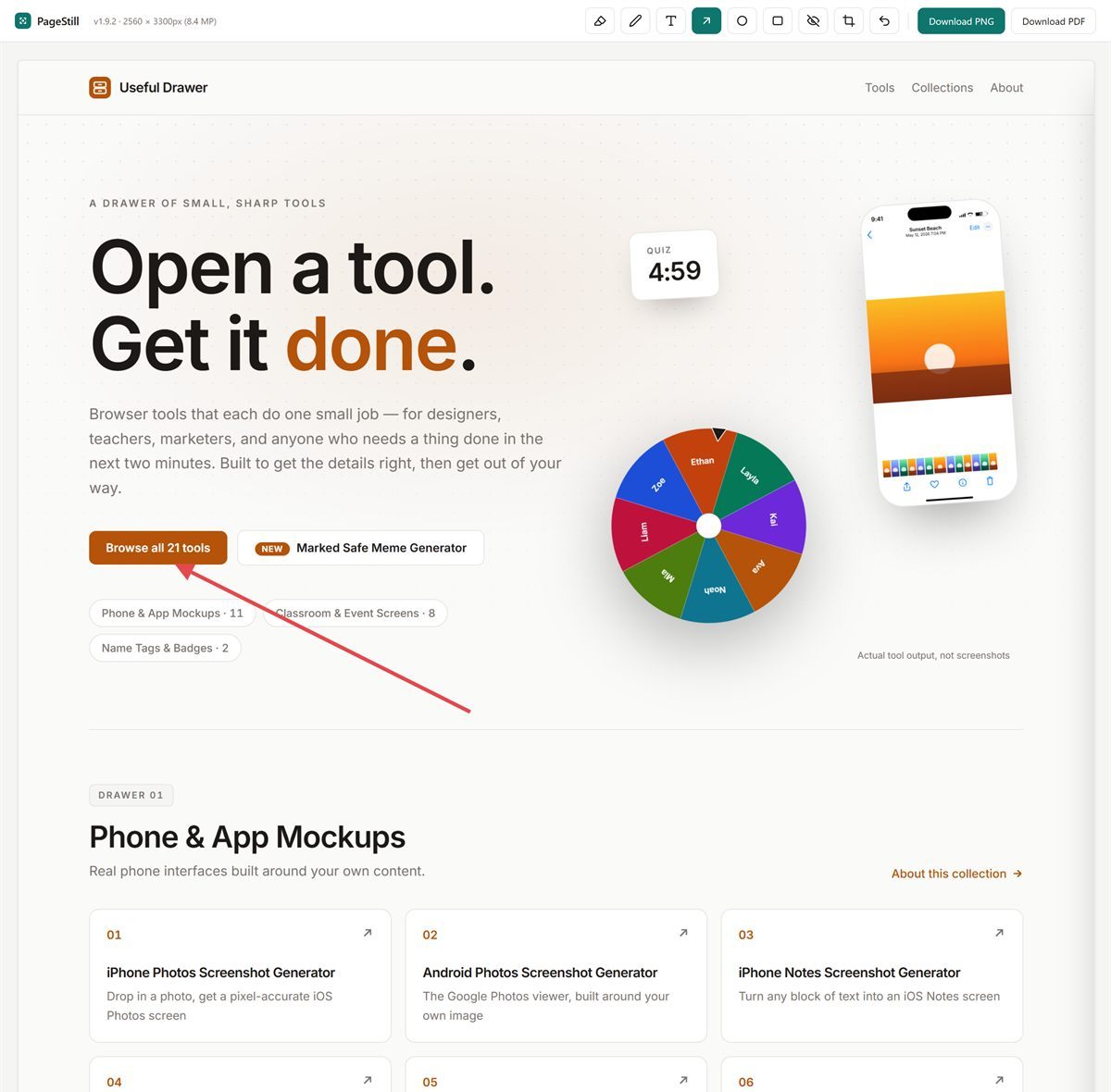
In the editorPoint right at it.
Marks the exact spot.
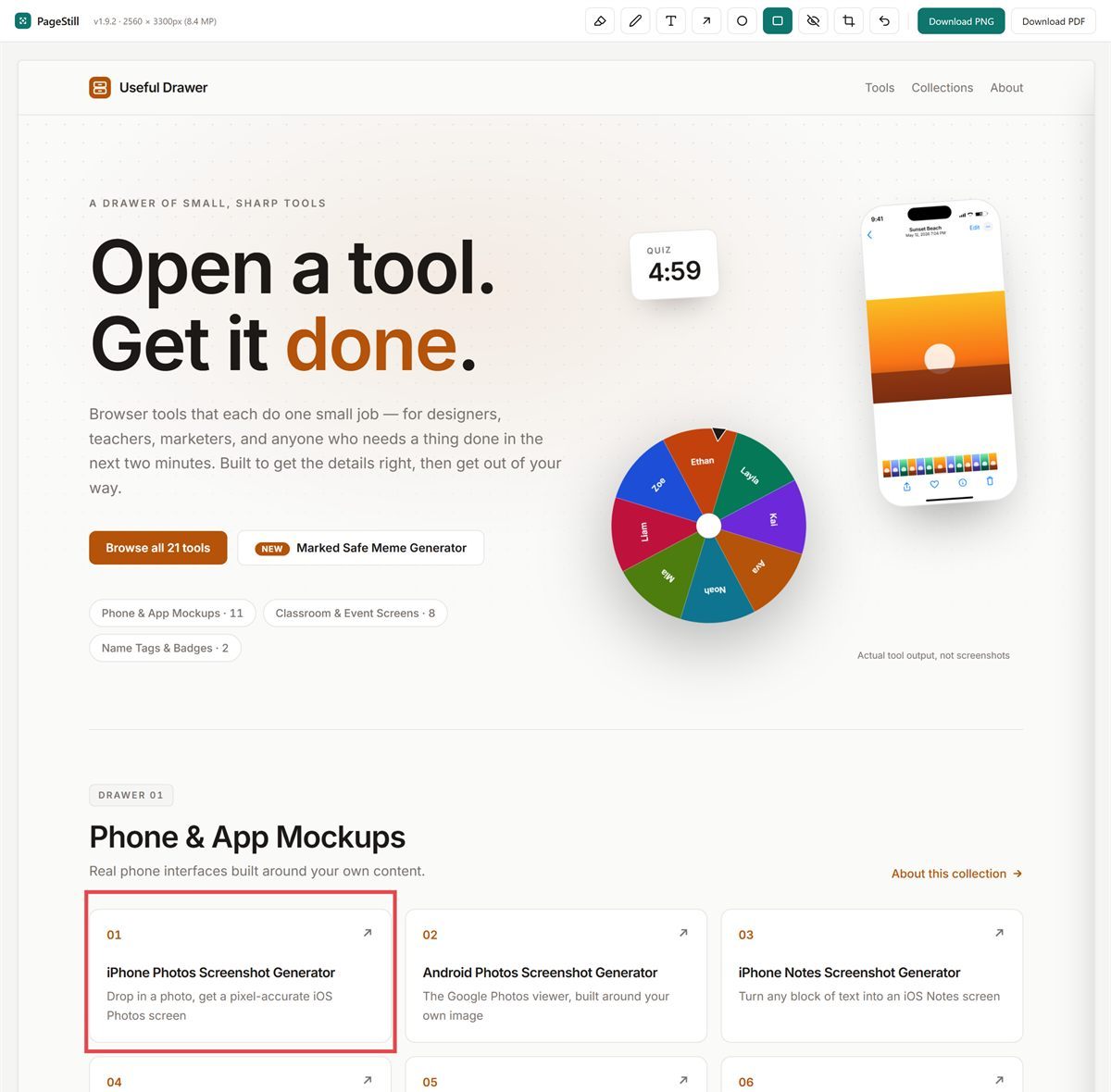
In the editorBox it in.
Drag a box around the specific area.
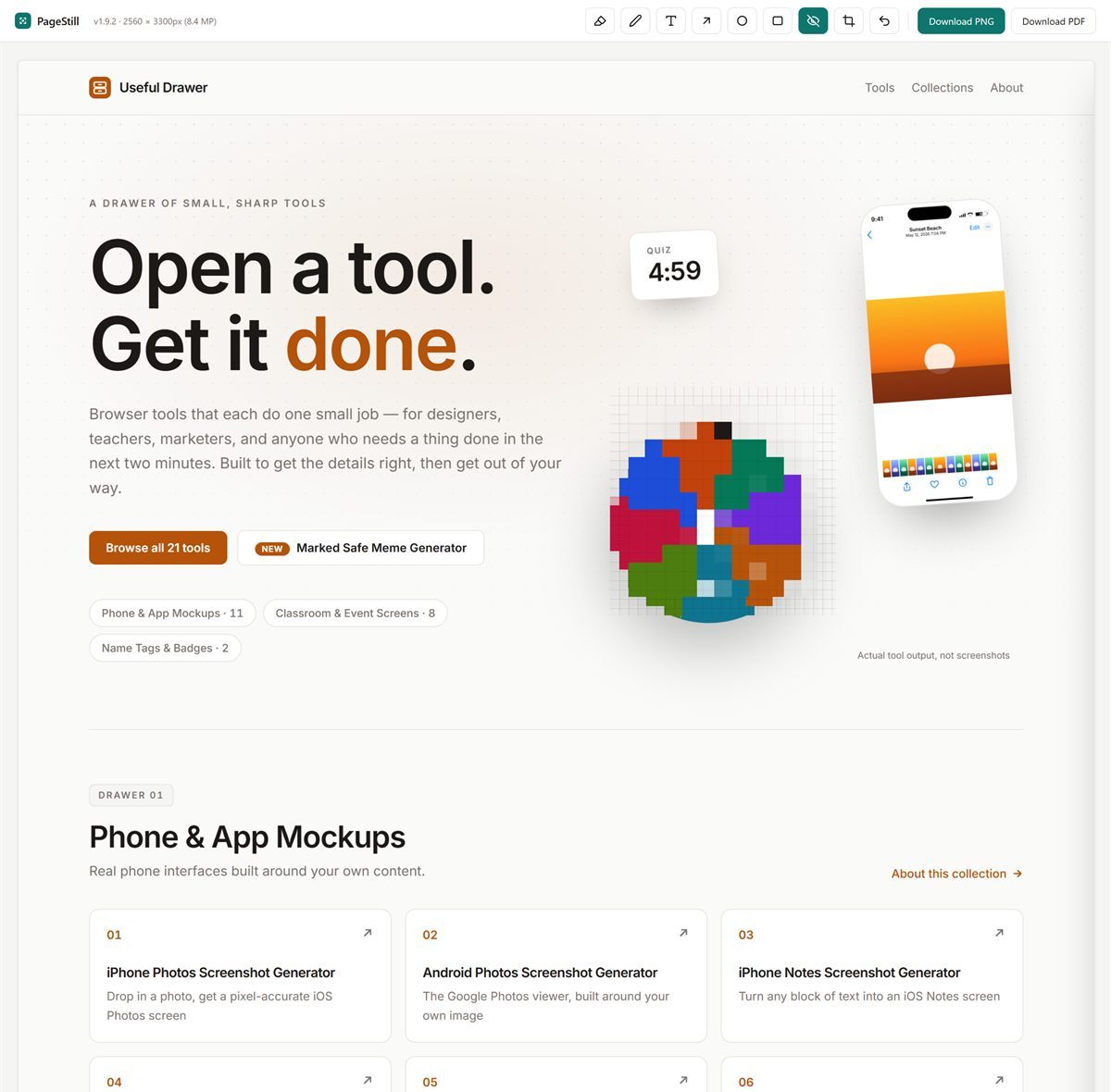
In the editorHide what shouldn't be shared.
A name, an account number, a face. Drag over it to blur.
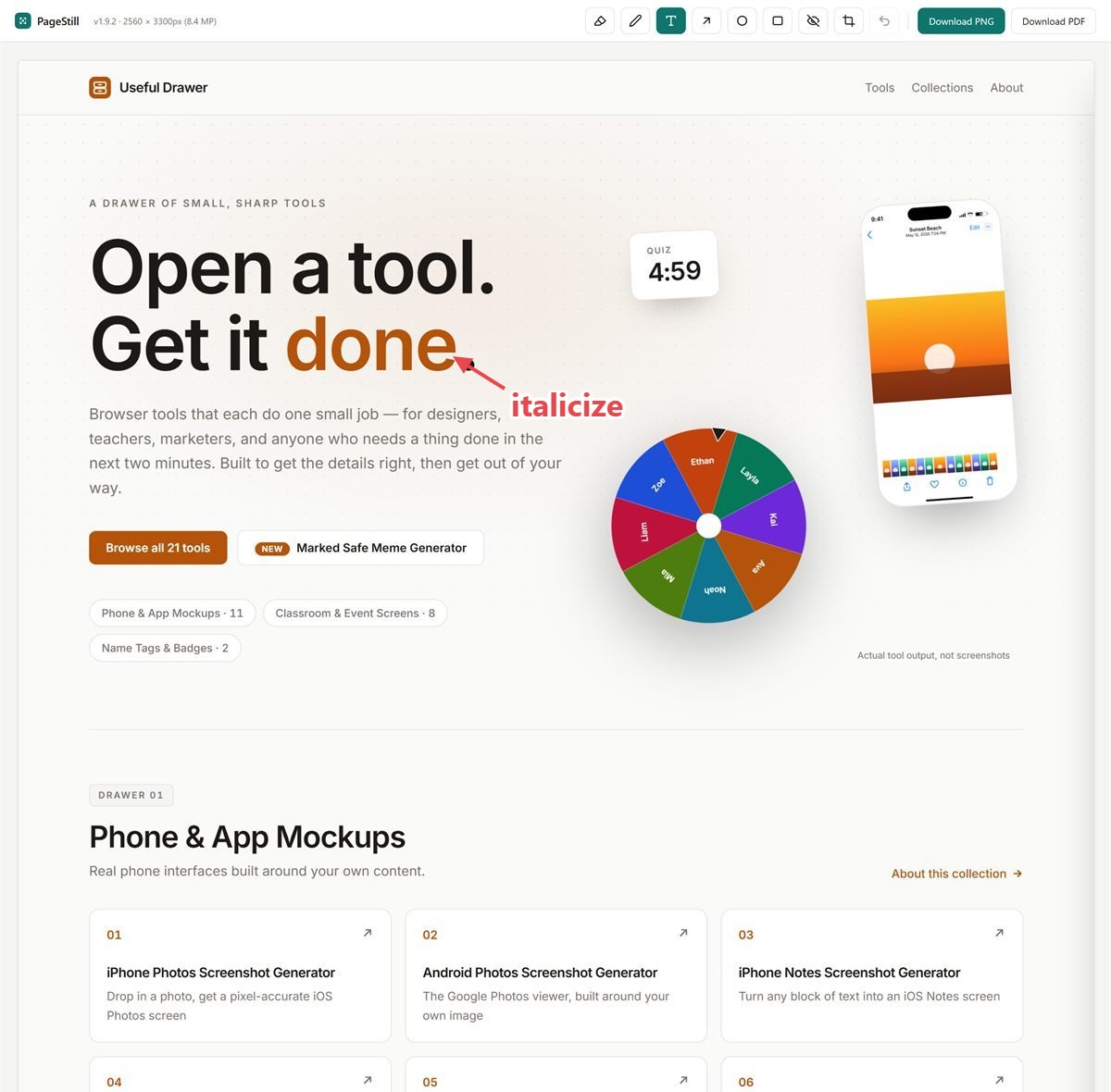
In the editorSay what you mean, on the image.
Write comments anywhere on it.
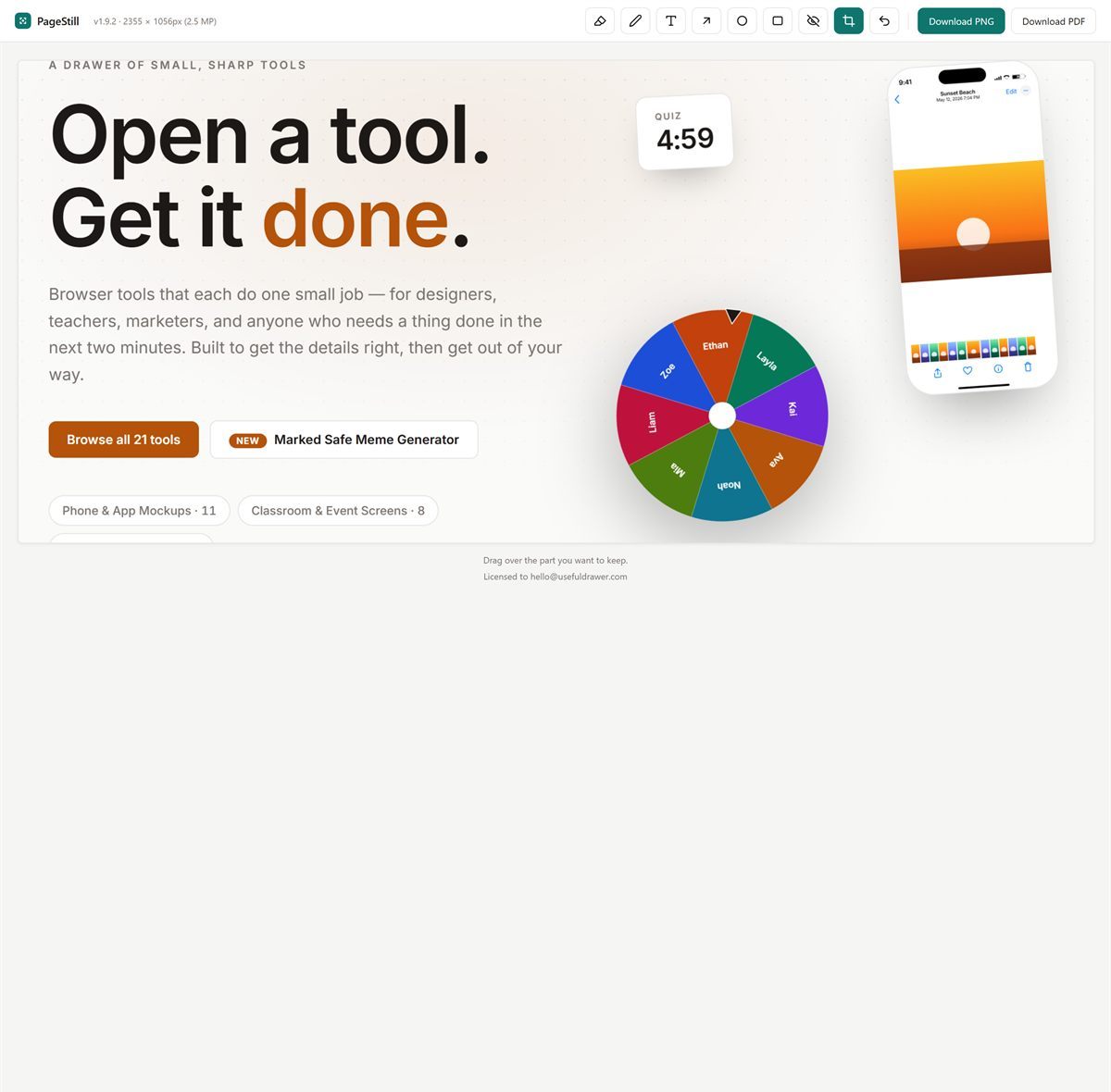
In the editorKeep just the part you need.
Crop the rest away. Save it as a PNG or a PDF, then send it or file it away.
In the editor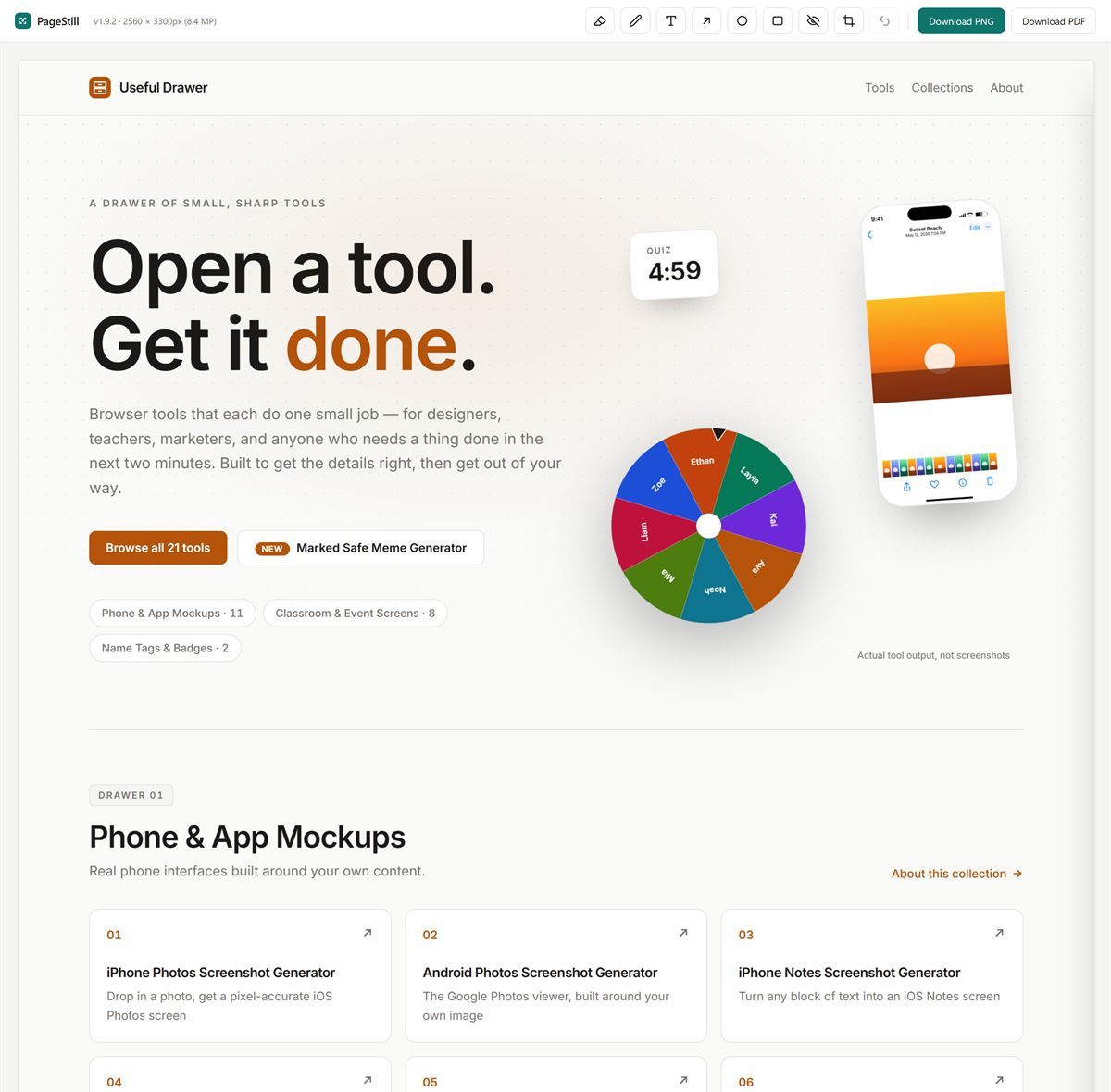
What it costs
You'll know the price before you install it, and nothing is taken away from the free side later.
- Full-page and on-screen capture
- Save as PNG
- No counter, no watermark
- Highlight, pen, notes, arrows, circles, boxes, blur, crop
- Save as PDF — stays sharp when you zoom in
- Cancel any time
- Everything in the editor
- Save as PDF — stays sharp when you zoom in
- One license per person, not per machine
- No renewal
Sold by Useful Drawer (MRBN, LLC). Payments and receipts are handled by Polar, our merchant of record. Refunds within 14 days.
No site permissions
Screenshot extensions usually ask to “read and change all your data on all websites.” This one doesn't. Here is the entire permission list, and you can check it on the install prompt before you decide.
- activeTab
- The tab you clicked on, only when you click.
- scripting
- To scroll that one tab while it captures.
- downloads
- To save the file where you choose.
- storage
- To remember your key on this computer.
Captures are held in memory and nothing is written to disk until you click Download. Your license key is checked on your own computer, and once a day the extension asks our server whether it is still active. That check sends the key and an anonymous install ID, nothing else. Full privacy policy.
Questions
- What does the free side include?
- Full-page capture, on-screen capture, and saving as a PNG. Unlimited, with no counter and no watermark. The editor and PDF export are the paid part.
- Is there an account?
- No. You buy, and a license key arrives by email. Paste it into the extension and the editor unlocks. One license covers one person, so you can use it in Chrome on your own machines.
- Do my screenshots go anywhere?
- No. The capture is stitched in your browser and written to your computer when you click Download. There is no upload step. The only thing the extension ever sends is your license key, once a day, to confirm it is still active.
- What's the difference between the two prices?
- Nothing. Both unlock the whole editor. $11.99 a year is a subscription you can cancel any time; $24.99 is a single payment with no renewal. Pick whichever suits you.
- Can I get a refund?
- Yes, within 14 days. Polar handles the payment and the refund; the link is in your receipt.
Guides
What goes wrong when you capture a whole page, why it happens, and what to do about it. Written whether or not you use PageStill.
There are two different things people mean by this, and picking the wrong one is why the result looks nothing like the page. Here is the difference, and the method for each.
Chrome tells you what an extension is allowed to do, once, in a box most people click straight through. Here is how to read it, and the setting that lets you take access back afterwards.
A long screenshot is one image taller than your screen. Phones and browsers each do it differently, and some of them do not do it at all. Here is the method for each, and what to do when there isn't one.
Four ways to capture a whole page top to bottom. Three are free and need nothing installed, including a command already in Chrome that most people never find. What each is good at, and where each one breaks.
The same page captures fine on a desktop and loses its last third on a laptop. The reason is a height limit counted in device pixels, which means a sharper screen runs out sooner.
The menu bar that follows you down the page turns up once per screen in a stitched screenshot. Here is the mechanism, how to recognize it, and what stops it.
Lost your key?
Enter the email you bought with and we'll send the key again.
Try it on the longest page you've got.
Capturing is free. The editor is $11.99 a year, or $24.99 once.